Subcontractor COI Checker
Check subcontractor COIs before work starts.
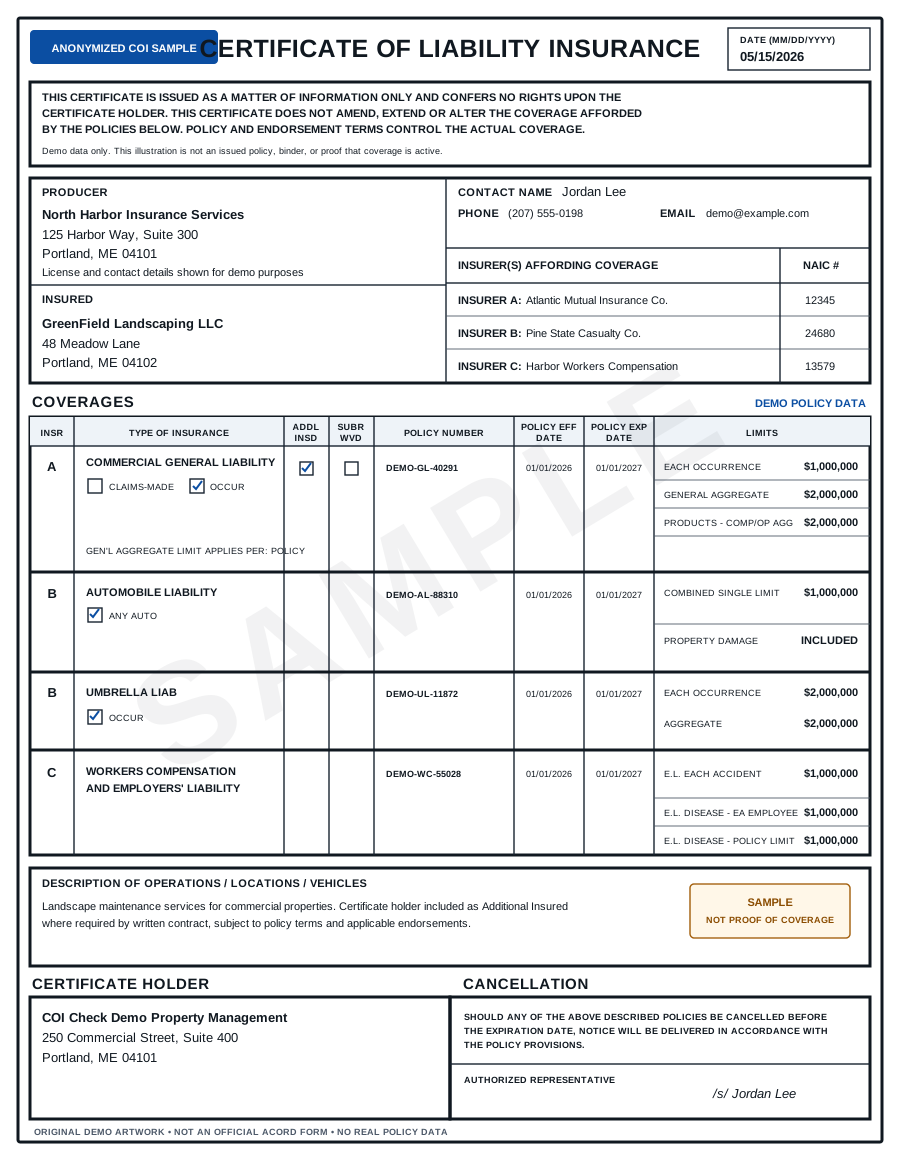
Upload a certificate and get a PASS / FAIL report for the insurance requirements your project depends on.
Construction COI review in one upload
Review the items construction teams usually need before approving a subcontractor:
- General Liability
- Workers’ Compensation
- Employer’s Liability
- Commercial Auto
- Umbrella / Excess Liability
- Additional Insured
- Waiver of Subrogation
- Primary and Non-Contributory wording
- Project-specific Description of Operations
Avoid work-start delays
Do not wait until the morning a subcontractor arrives on site to discover that their COI is expired, missing Workers’ Comp, or below the project’s required limits.
Run the certificate through the checker as soon as it arrives.
Generate a correction email
When a certificate fails, the checker generates a clear request you can send to the subcontractor or broker.
Example:
Please send an updated COI showing $1M General Liability, $1M Auto Liability, Workers’ Compensation, and Additional Insured status for [GC / Owner Name] on a primary and non-contributory basis.
FAQ
Can it check project-specific requirements?
Yes. You can create templates for different projects, owners, or subcontractor risk levels.
Can it check Additional Insured endorsements?
The checker can flag whether Additional Insured language or references appear on the COI. Actual endorsement review may still be required for high-risk projects.
Does it replace subcontractor prequalification software?
No. It is a focused COI review tool. It can be used before or alongside a broader prequalification process.
Disclaimer
This tool provides document-level review of Certificates of Insurance. It does not provide legal advice, insurance advice, or guarantee that coverage is active. For high-risk work, suspicious certificates, or unclear endorsements, confirm details with the issuing broker, carrier, or legal counsel.